---
title: "Agent settings"
description: "Turn agents on or off, set a minimum severity per repository and path, limit where each agent runs, exclude paths for all agents, and manage each agent's memory."
canonical: "https://baz.ai/docs/agents/agent-settings"
---
# Agent settings
Turn agents on or off, set a minimum severity per repository and path, limit where each agent runs, exclude paths for all agents, and manage each agent's memory.
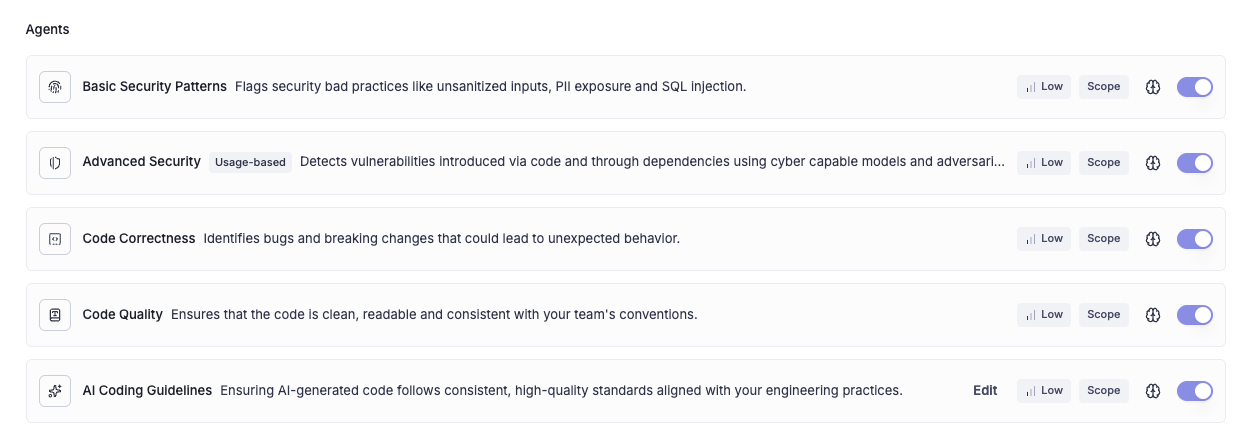
Each Build agent has its own controls on its row in **Software Factory → Build**: an on/off switch, a minimum severity, a scope, and a memory. Before you turn a noisy agent off, narrow it: raise its severity for a repository, or limit it to the paths where it helps.
Each Build agent row: severity, Scope, memory, and the switch
## Turn agents on or off
Use the switch on the agent's row. Changes apply to the whole organization. Checks inside an agent, such as breaking changes inside Code Correctness, are not toggled separately.
Baz turns an agent off automatically when its acceptance rate in your organization falls below 25% after at least 10 findings. Code Correctness is never turned off this way, and an agent you turn on yourself gets a 4-day grace period.
Maintain and Deploy agents also have switches on their stage pages, plus the prerequisites listed in the [Software Factory](/docs/agents#prerequisites-per-agent).
## Severity
Every finding is **High**, **Medium**, or **Low**. High means it should block the merge, like a crash, data loss, or a security hole. Medium is a real bug that is not urgent, and Low is a small cleanup or a risk with no proven harm.
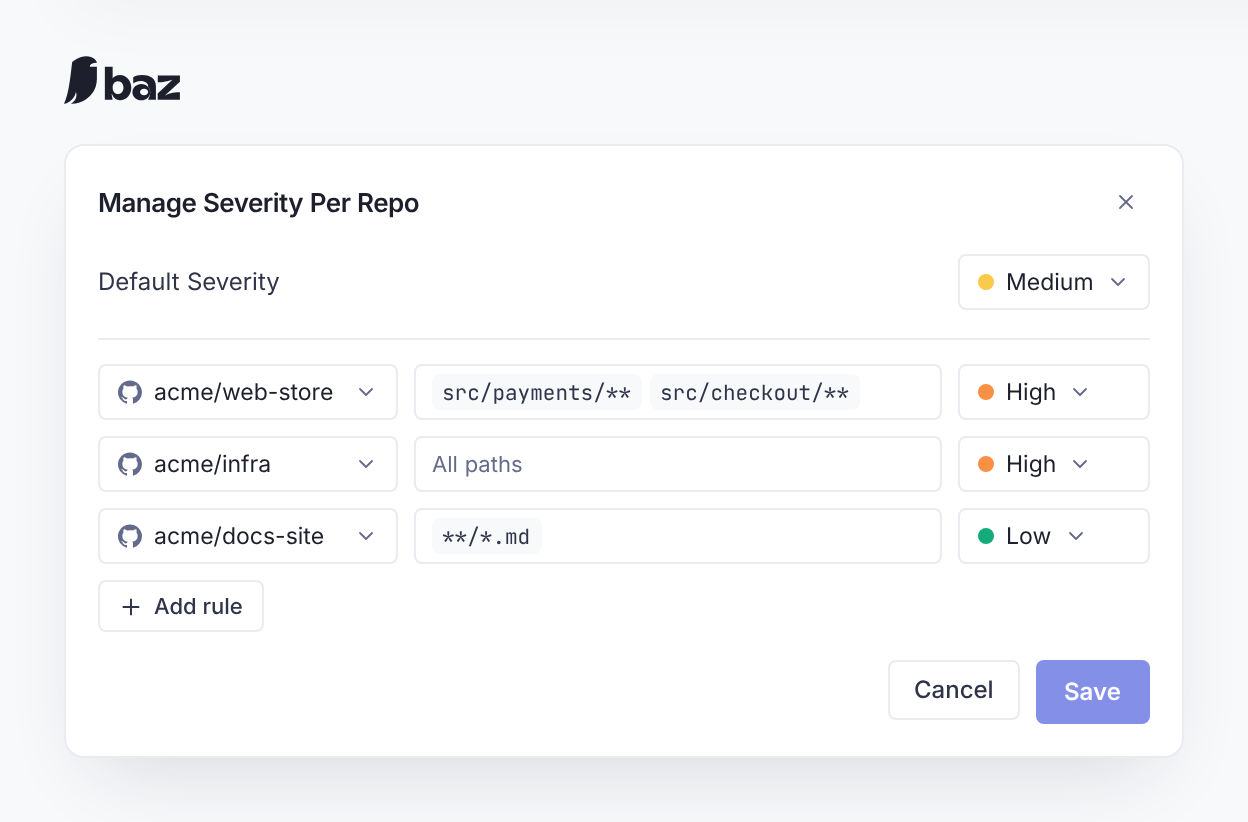
The severity button on a row shows the agent's **Default minimal severity**. Findings below it are not posted. The menu also counts the repository rules at each level. Select **Edit** to open **Manage Severity Per Repo**:
A default severity plus rules for specific repositories and paths
- **Default Severity** applies everywhere. Only admins can change it.
- Add a rule with a repository, optional paths (glob patterns such as `src/**` or `**/*.ts`), and a minimum. A rule with no paths covers the whole repository.
Baz validates rules before saving: "Choose a repository for these paths.", "Use a valid glob pattern, such as src/** or **/*.ts", "Choose a severity other than the default.", and "This repository and path already have a rule." A confirmation lists the rules added, updated, and deleted.
## Scope
**Scope** opens "Define which files or paths this Reviewer should check when reviewing CRs." Choose repositories and include or exclude path globs. Use it to run an agent only on part of a monorepo, or to keep it out of generated or legacy code.
## Excluded paths for all agents
Admins can skip paths for every agent from **Exclude paths → Select Paths** at the top of the Software Factory page. **Manage Excluded Paths** takes a repository and glob patterns per row. Use it for generated code, vendored code, or snapshots.
Baz also skips pull requests with more than 1,000 changed files, and you can skip branches with **Ignore branch patterns** in [Configurations](/docs/admin/configurations).
## Memory
The memory icon on a row opens **Reviewer memory**: what this agent has learned from your team's replies and merged discussions. "Memory rules help the reviewer learn from past feedback and improve over time." Before any feedback, the drawer reads "This Reviewer has no memory yet, provide Baz feedback and it will learn your team's conventions."
See [Reviewer memory](/docs/brain/reviewer-memory) and [How memory works](/docs/brain/how-memory-works).
## Organization-wide review settings
Settings that affect all agents live in **Settings → Configurations**. **Automatic Review** decides whether Baz reviews every PR or waits for a `Baz review` comment. **Review draft PRs**, **Limit comments per PR**, **Ignore branch patterns**, and **Comments fixing options** control drafts, comment volume, skipped branches, and which fix buttons appear. See [Configurations](/docs/admin/configurations). To pause Baz on one pull request, add the `baz: pause` label.
## Related
Stages, coverage, and prerequisites.
Organization-wide review settings.
What each agent has learned.
Labels and comment commands.