---
title: "Jira"
description: "Baz\u2019s Jira Integration"
---
By pulling in ticket information like titles, descriptions, issue types, and stakeholder comments, Baz ensures that every change request is grounded in intent. Reviewers no longer need to tab between Jira and GitHub to understand why a change exists - they get the full story, right where the code is.
Baz uses this context to:
* Enrich AI-generated summaries and topics with business objectives.
* Tailor prompts to reflect the goals and constraints from the Jira ticket.
* Help reviewers focus on what’s important by aligning code changes to the original intent.
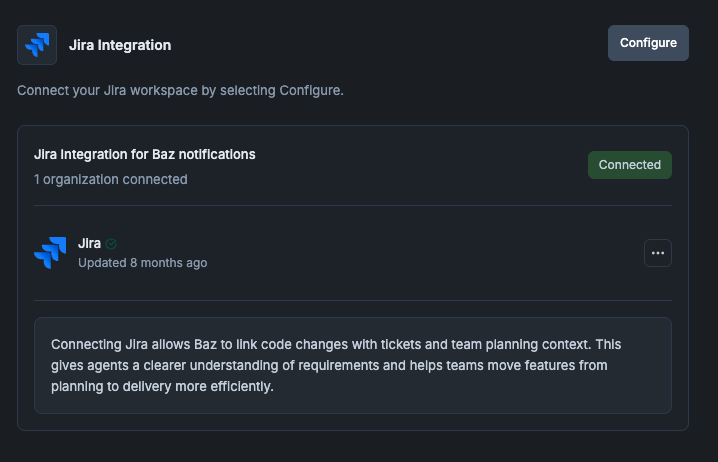
Configure Jira
## Configuring Baz & Jira
To enable Jira support:
1. Go to the **Jira integration** section located in Settings.
2. Click **Configure** and follow the authentication flow.
3. Once connected to your Jira Workspace, Baz will automatically attach ticket context to linked change requests.
> Tip: Baz detects linked tickets using conventional branch names (e.g. `ABC-123`) or Jira issue keys mentioned in the PR description.
***
## How Baz Uses Jira Issue Data
Once enabled, Baz pulls the following fields from linked Jira issues:
* **Title** and **description** – used to inform review summaries and reasoning.
* **Issue type** – helps guide expectations (e.g. bug fix vs. feature).
* **Stakeholder comments** – injected into review prompts as context.
This context is injected into workflows that eventually:
* Generate summaries that reflect Jira objectives.
* Break down topics based on feature or flow relevance.
* Guide reviewers to evaluate changes through the lens of what the ticket was designed to accomplish.
## FAQ
How does Baz know which Jira item a change relates to?
From a conventional branch name such as `ABC-123`, or a Jira issue key mentioned in the pull request description.
What does Baz read from Jira?
Title and description, issue type, and stakeholder comments on the linked issue.
Does connecting it change what reviewers see in the code host?
Yes, in the sense that the review itself gets richer: summaries, topics, and agent prompts carry the intent from Jira, so reviewers do not have to open the tracker to understand why a change exists.
Nothing is attached to my pull request, what should I check?
Check that the integration is connected under Settings, Integrations, that the branch name or pull request description carries a recognizable identifier, and that the connected account can see the item in Jira.