---
title: "Tasks"
description: "Use Tasks as your inbox for the pull requests and plans you authored and the ones waiting on your review."
canonical: "https://baz.ai/docs/work/tasks"
---
# Tasks
Use Tasks as your inbox for the pull requests and plans you authored and the ones waiting on your review.
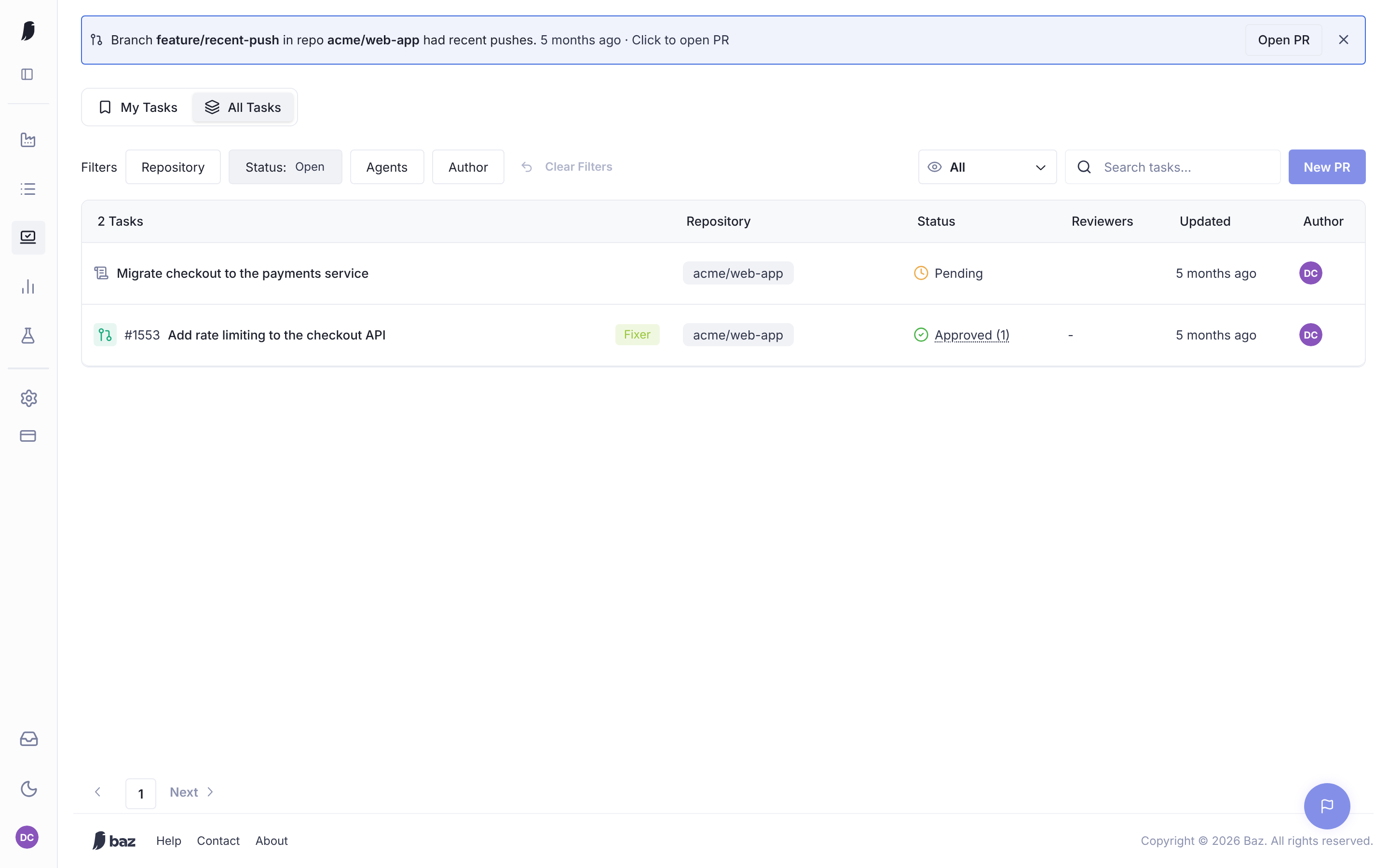
**Tasks** lists pull requests and plans in one place. **My Tasks** is your personal inbox: what you authored and what is waiting on you. **All Tasks** is the shared list for your organization. Start your day here to unblock teammates first, then move your own work forward.
The Tasks page
## Tabs
**My Tasks** splits your work in two: the PRs and plans you wrote, and a **waiting for me** section with reviews and plans assigned to you. **All Tasks** shows every open PR and plan in your organization, so you can browse or create a new pull request.
When a section is empty you see "You're all caught up, great work! 🎉" or "No more tasks waiting on you 🎉".
## Find what you need
- **Type**: **All**, **PRs only**, or **Plans only**.
- **Search**: type in **Search tasks...** to find a task.
- **Filters**: narrow by status, repository, author, and more.
Your tab, filters, and search are kept in the URL, so you can bookmark or share a view.
## Read a row
Each row shows the **Repository**, **Status**, **Updated** time, **Reviewers**, and **Author**. For PRs, the status follows human reviews: **Review pending** means no one has reviewed yet, **In progress** means reviewed but not approved, and **Approved** means at least one reviewer approved. Look for the **On you** badge on tasks assigned to you and **Ready to merge** on PRs that meet their merge requirements.
PR rows also show the CI status. Select a row to open the [PR page](/docs/work/pull-requests) or the [plan](/docs/work/plans).
## A daily routine
In **My Tasks**, work through the **waiting for me** section first. These are PRs and plans where teammates are blocked on your review.
In your own section, open each PR, address Baz findings with [Fixer](/docs/work/fix-findings), and reply to reviewers.
Look for **Ready to merge** and merge from the PR page.
## Related
Review and merge from the PR page.
Review implementation plans before code.
Let Baz judge merge readiness under your rules.
See every agent run behind a task.