Getting Started
Set up Baz in a few steps: connect your repositories, turn on the right agents, and check coverage.
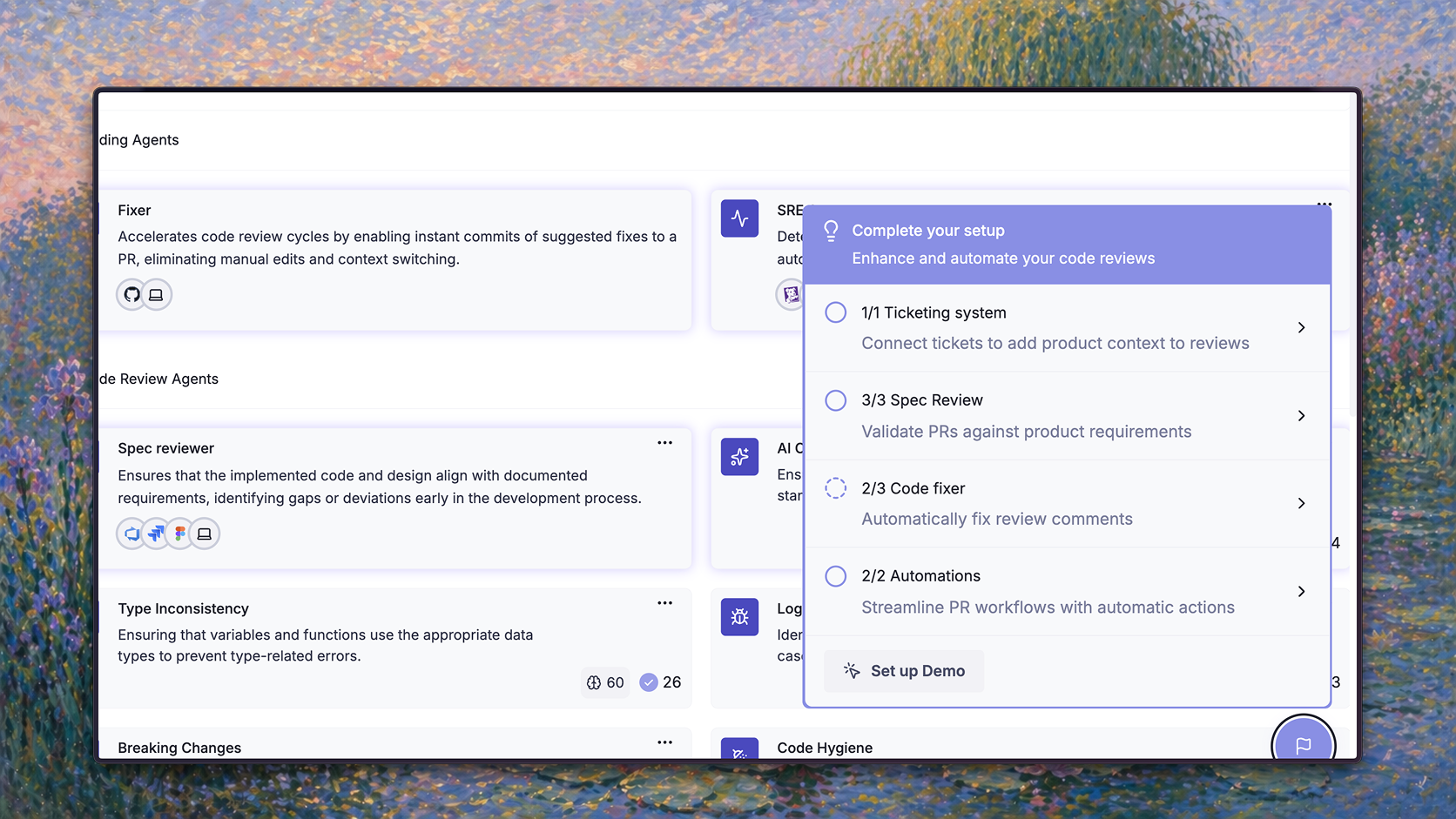
Basic setup
These steps get most teams to a working configuration. Every agent setting lives in one place: Agents → Baz Agents, the Software Factory.
- Connect your repositories. Install Baz from GitHub, GitLab, or Azure DevOps, and approve the permissions it requests. Fixer, Merger auto approve, Skill Maintainer, and the SRE Agent need write access, so grant it on the repositories where you want them.
- Keep the Build defaults. Code Correctness, Basic Security Patterns, and AI Coding Guidelines are on from the start and review every pull request. Open a test pull request to confirm Baz comments on it.
- Exclude noisy paths. On the Software Factory page, select Exclude paths → Select Paths and add generated code, vendored dependencies, and test snapshots.
- Connect a ticketing tool. Add Jira, Linear, or another ticketing integration so the Verification Agent can check each change against its ticket.
- Turn on Merger. On the Deploy page, switch on Merger. Baz adds a default rule covering all repositories and authors, which you can narrow later. See Merge Automation.
- Follow the coverage bar. Hover over the coverage bar at the top of the Software Factory page. It names the next step that adds the most coverage. When write access, a sandbox, or a payment method is missing, a banner below the bar says so, and Connect opens a guided setup that covers them along with Fixer, Advanced Security, the SRE Agent, and Skill Maintainer. Observability integrations such as Datadog connect from Settings → Integrations.
See What each agent needs for every agent’s prerequisites.
Tune it to your team
Once reviews are running, adjust Baz from the Build page:
- Minimum severity. If an agent is too noisy for a repository, raise its minimum severity there with Manage Severity Per Repo, rather than turning the agent off. See Severity and paths per agent.
- Code Quality. It is off by default. Turn it on when you want maintainability feedback: duplication, conventions, naming, typos, and hygiene.
- Advanced Security. Turn it on for deeper, context-aware security review. It is usage-based.
- Memories. Ask developers to reply to Baz comments. Repeated feedback becomes a memory that shapes future reviews.
- Review triggers. Where a repository does not need automatic reviews, narrow Automatic Review, Automatic Summary, or Automatic Spec Review in Configurations, and review there on demand by comment.
Check the results in Insights → Evaluation: acceptance per agent shows where Baz adds value, and the Deploy tab shows whether Merger’s calls hold up. For standards Baz does not cover, add Recommended Reviewers or write Custom Reviewers.
FAQ
What is the minimum setup for Baz to start reviewing?
Install Baz on your repositories. The default Build agents start reviewing pull requests right away, with no further configuration.
Where do I configure agents?
In Agents → Baz Agents. Select the Build, Deploy, or Maintain card to turn agents on or off and change their settings. Organization-wide review settings, such as triggers and comment visibility, are in Configurations.
How do I know what to set up next?
Hover over the coverage bar on the Software Factory page. It points to the step that raises coverage the most and links to where to take it.